
Leaderboards
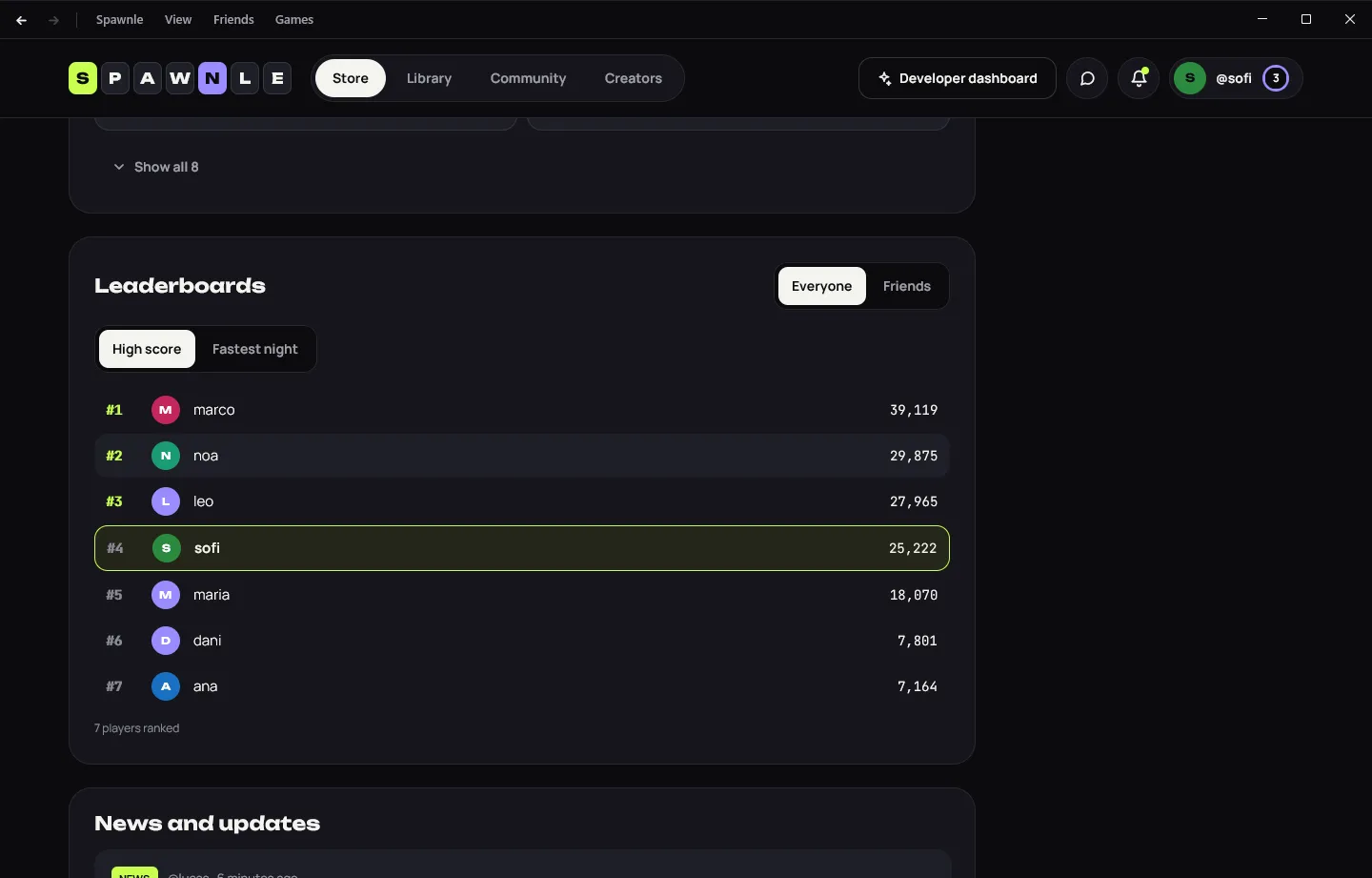
Leaderboards appear on your game’s page in the launcher, with the player’s own place highlighted:
Define them
Section titled “Define them”In Developer dashboard → your game → SDK, add a leaderboard:
| Field | |
|---|---|
| Key | What your code uses: high-score. Same rules as achievement keys. |
| Name | What players read: “High score”. |
| Format | Points (a whole number) or Time (milliseconds, shown as 1:23.456). |
| Order | Higher is better for scores, lower is better for times, golf and strokes. |
A game can have up to 50 leaderboards.
Submit a score
Section titled “Submit a score”const result = await spawnle.leaderboards.submit("high-score", 12850);// { best: 12850, rank: 4, improved: true }
if (result.improved) showToast(`New record! #${result.rank}`);Spawnle keeps each player’s best score in the board’s direction; a worse
score is ignored (improved: false) and best tells you the record to beat.
Times go in milliseconds:
await spawnle.leaderboards.submit("speedrun", 83_250); // 1:23.250Scores are whole numbers (fractions are rounded). The API accepts up to 60 submissions per minute per player and game.
Show a leaderboard
Section titled “Show a leaderboard”const board = await spawnle.leaderboards.get("high-score", { limit: 10 });
for (const entry of board.entries) { row(entry.rank, entry.displayName, entry.score);}if (board.me && board.me.rank > board.entries.length) { row(board.me.rank, "You", board.me.score); // the player, even outside the top 10}scope: "friends"shows only the player and their friends.limitis 1–100 (10 by default).board.totalcounts the players with a score.
For time boards, format with the SDK’s helper:
Spawnle.formatTime(83250); // "1:23.250"Cheating
Section titled “Cheating”Scores come from the game, so a determined player can send any number. For competitive games, let your own server check each run and submit the score itself with the player’s ticket, instead of the game.